ImageMesh: Low-Poly 3D Reconstruction
Author: Andrew R. Garcia
—
Introduction
ImageMesh is a method in VoxelMap for turning 2D images into 3D meshes. It works by slicing an image into sectors and building Convex Hulls in each sector, producing a lightweight .obj model.
Voxel-based (ImageMap) → dense voxel cloud
Mesh-based (ImageMesh) → compact polygonal mesh
ImageMesh is best when you want fast, low-poly 3D models suitable for Blender, PyVista, or game engines.
—
Quick Example
from voxelmap import Model
from voxelmap.mesh import ImageMesh, MeshView

model = Model(file="docs/img/land.png")

# create a low-poly mesh with sector partitioning
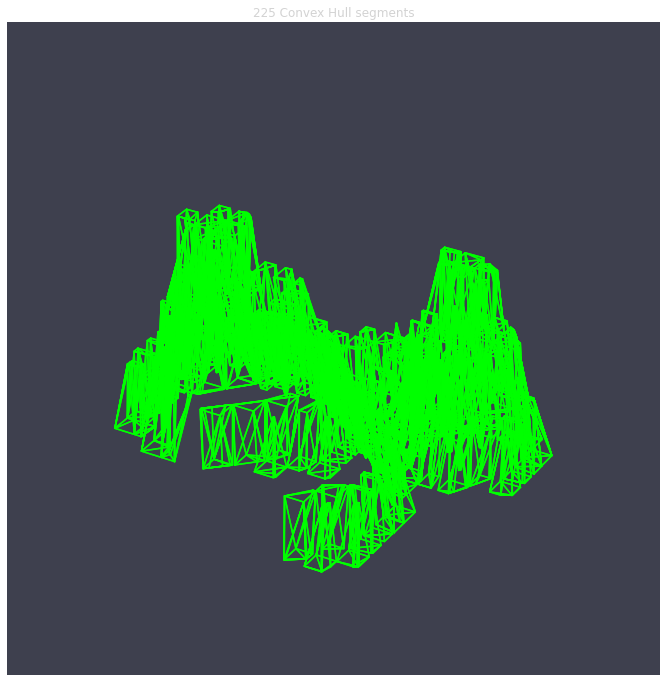
ImageMesh(model.array, out_file="land.obj", L_sectors=15)

# preview interactively (requires voxelmap[mesh])
MeshView("land.obj", flat_color="white", alpha=0.8)
➡ Produces a lightweight terrain mesh.
—
When to Use ImageMesh
✅ You want compact models (small .obj files).
✅ You don’t need voxel-level detail.
✅ You plan to edit meshes in Blender, Maya, etc.
❌ If you need detailed volumetric rendering → use ImageMap instead.
—
Appendix: Technical Notes
ImageMesh partitions the input image into sectors. Each sector is mapped to 3D points by treating pixel intensity as depth, then enclosed by a Convex Hull.
The algorithm uses scipy.spatial.ConvexHull (QuickHull).
Increasing sectors captures more local detail (see figure below).
Mesh complexity is proportional to the number of sectors, not the number of pixels.
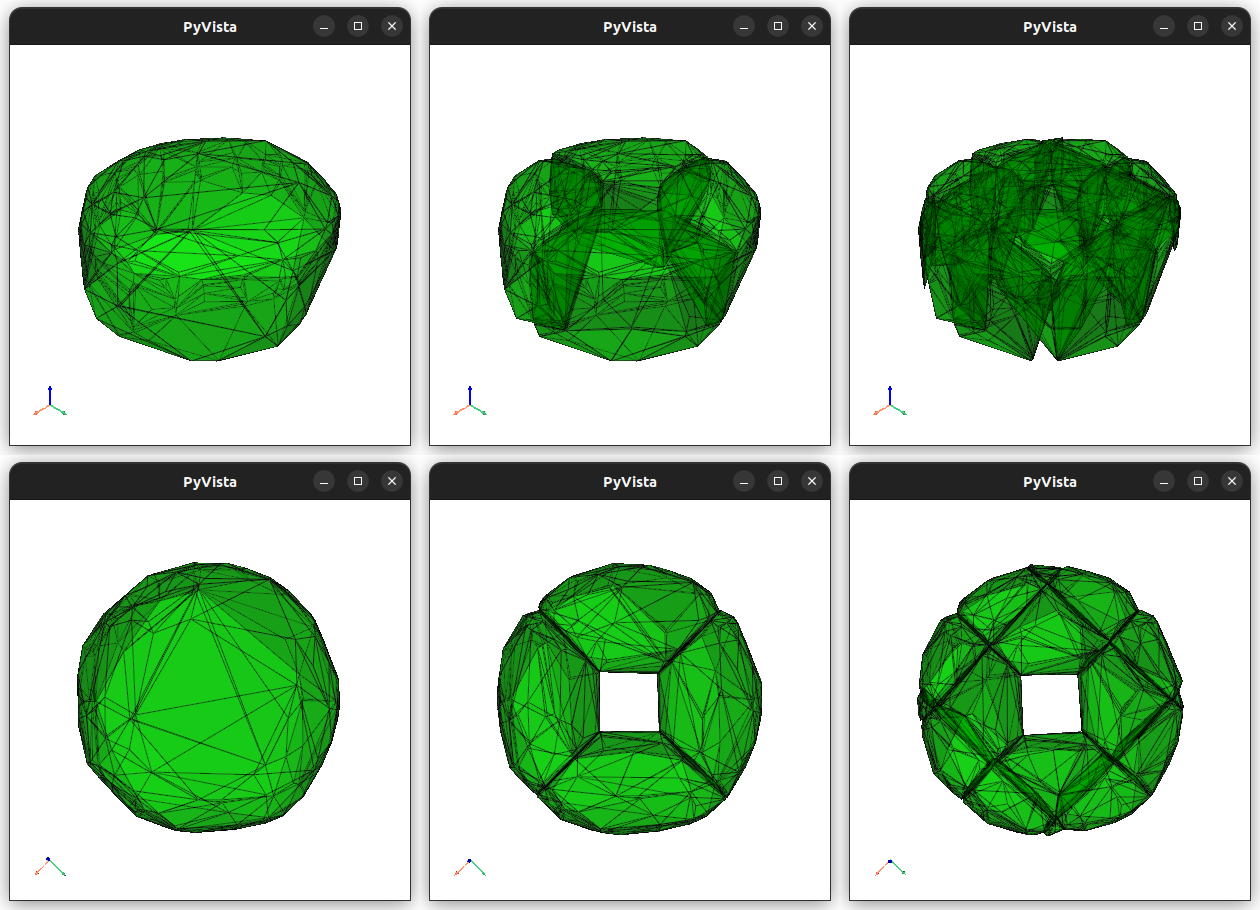
Left: 1 sector. Middle: 4 sectors. Right: 16 sectors.
Complexity (summary): - Time ≈ \(\mathcal{O}(w h n \log n)\) - Space ≈ \(\mathcal{O}(n \sqrt{s}/3)\)
Where \(w, h\) are image size, \(n\) points per sector, and \(s\) sectors.
—
Conclusion
ImageMesh gives you a fast, memory-efficient way to turn 2D images into usable 3D assets. For advanced users, the original complexity analysis and whitepaper are preserved here for reproducibility.